Themes
Windows 95, 98, Me and 2000 in RetroBar
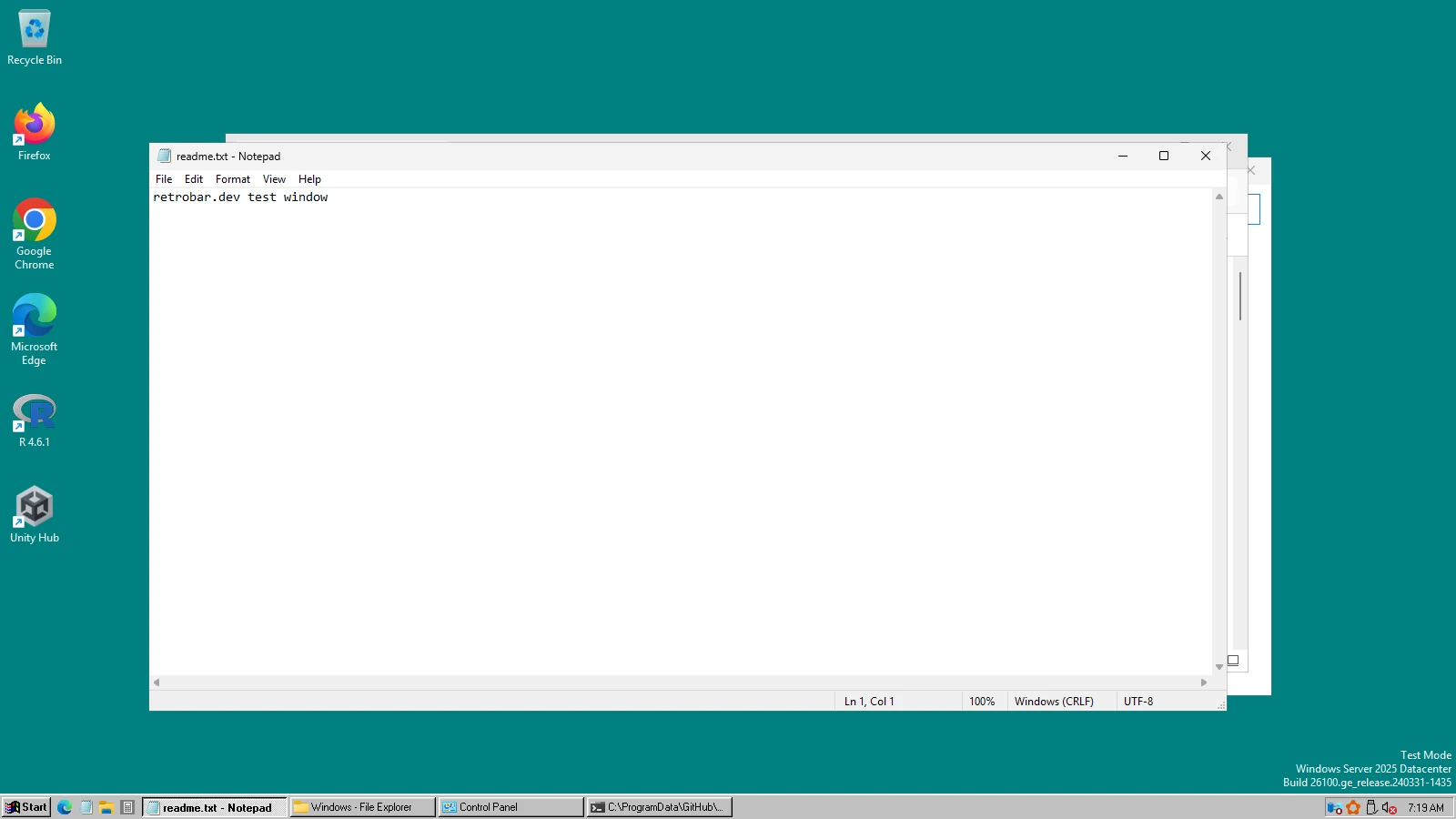
The grey, bevelled taskbar is RetroBar's default: a new install starts with the Windows 95-98 theme. Two more themes cover Windows Me and Windows 2000. The differences are small but real, and this page shows them side by side in real screenshots.
On this page 6 sections
Short answer
How do I make Windows 11 look like Windows 95 or 98?
Install RetroBar: its default theme is already Windows 95-98. Add Open-Shell with our Classic Start menu preset for the menu. Window title bars and File Explorer keep the Windows 11 look; RetroBar changes the taskbar only.
The three classic themes
Real screenshots · RetroBar 1.22.122 · Windows Server 2025 build 26100.33650 · shown at 2×
Windows 95, 98, Me and 2000






How 95/98, Me and 2000 differ
| Windows 95-98 | Windows Me | Windows 2000 | |
|---|---|---|---|
| Grey | #C0C0C0, the classic silver grey | #D4D0C8, the warmer grey | #D4D0C8, the warmer grey |
| Text | Microsoft Sans Serif | Microsoft Sans Serif | Tahoma |
| Show Desktop icon | Windows 95/98 style | Me/2000 style | Me/2000 style |
| Built on | RetroBar's base theme | Windows 2000, with its own font and spacing | RetroBar's base theme |
All three are 28 pixels high and draw Windows 11's white system icons (volume, network) dark, so they stay visible on the grey bar. That is the theme asking for inverted system icons; Properties › Notification area › “Invert system icons” controls it.
Edges, rows and sizes
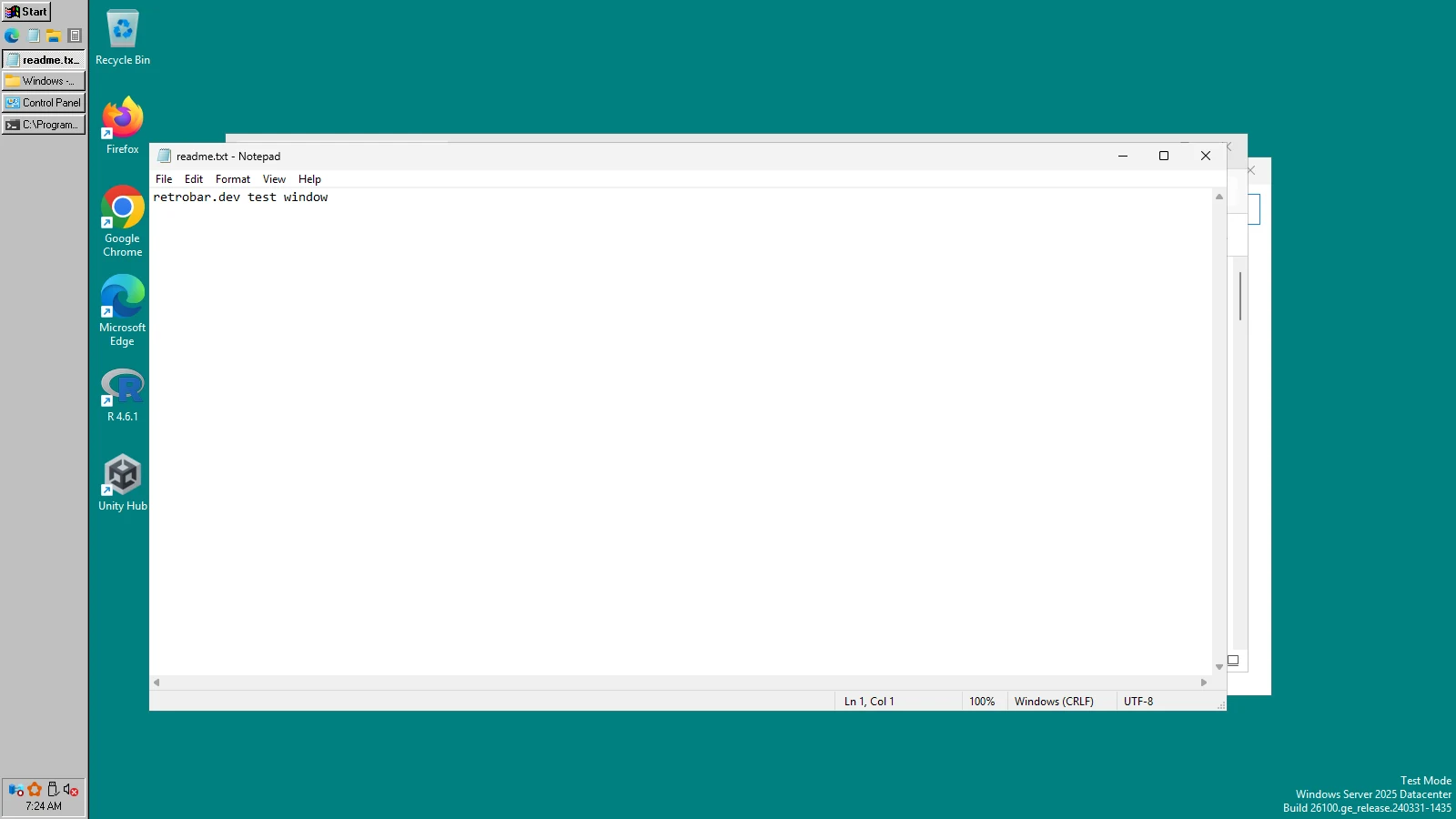
The classic taskbar works on every edge and with several rows, as it did in Windows 95. On the left or right, RetroBar shows the day and date under the clock.

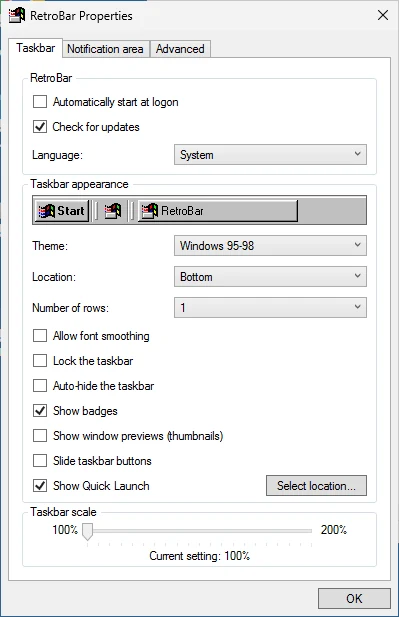
The Properties window, classic style
RetroBar's own settings window follows the theme, so with Windows 95-98 it looks like a Windows 9x dialog.
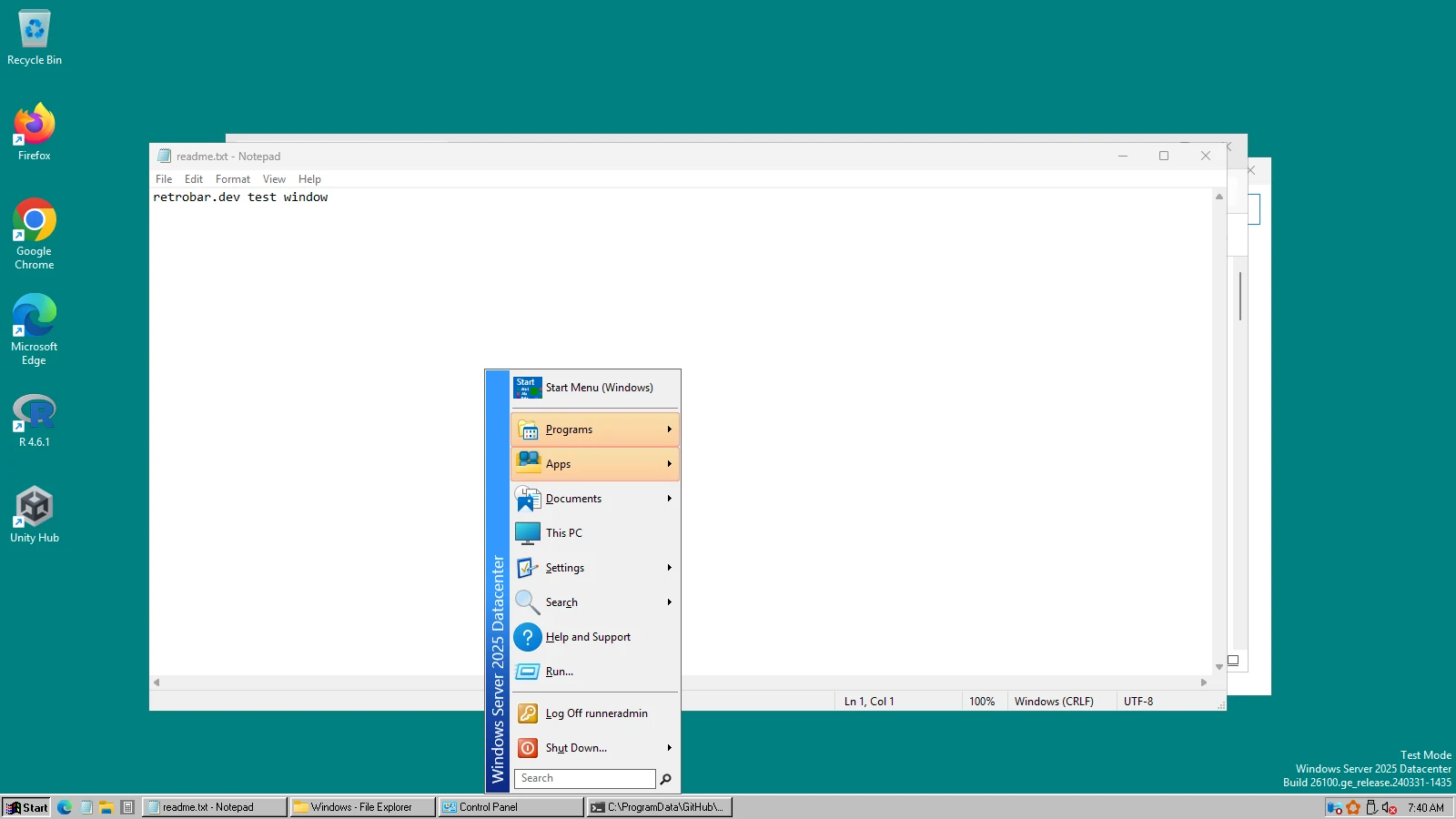
The classic Start menu
With Open-Shell and our Classic preset, RetroBar's Start button opens a single-column menu with a side banner, like Windows 95 to 2000.
Questions
What is the difference between the Windows 95-98 and Windows 2000 themes?
The grey: 95/98 used #C0C0C0, 2000 the warmer #D4D0C8. Windows 2000 also uses Tahoma instead of Microsoft Sans Serif, and its own Show Desktop icon.
Is there a separate Windows 95 theme?
No. The Windows 95 and 98 taskbars looked almost the same (98 added Quick Launch), so RetroBar has one theme for both.
Can I get the Windows 98 Quick Launch?
Yes, Quick Launch is on by default. It shows the apps pinned to your Windows taskbar, and you can point it at any folder (Properties › Taskbar).
Keep going
Found something out of date or wrong? Tell us at hello@retrobar.dev and we will fix it.