Taskbar how-to
The Windows XP taskbar on Windows 11
The blue taskbar with the green Start button, Quick Launch and the clock in its own panel: you can have it on Windows 11 in a few minutes, free. This is the short route, tested on Windows.
On this page 3 sections
Short answer
How do I get the XP taskbar on Windows 11?
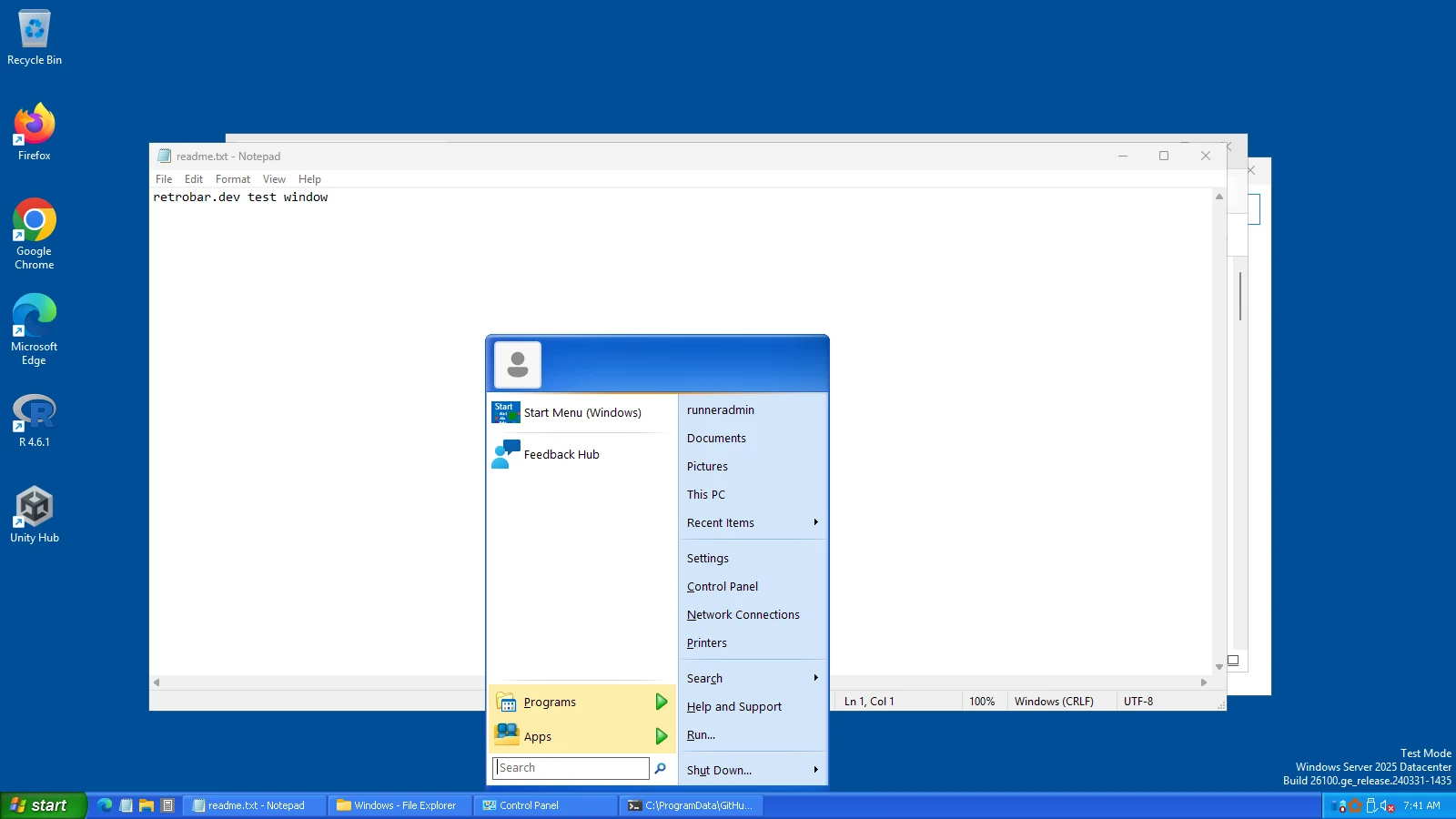
Install RetroBar, right-click its taskbar › Properties › Theme: Windows XP Blue. For the XP Start menu as well, install Open-Shell and load our XP preset.
Three steps
Install RetroBar
Download it from the official GitHub release and run the installer (every screen explained). It replaces the Windows 11 taskbar while it runs.
Choose the XP theme
Right-click the new taskbar › Properties › Theme: Windows XP Blue. For the XP look in full, also tick “Collapse notification area icons” on the Notification area tab. Prefer Olive Green, Silver or Media Center's Royale? They are in the same list (all eight XP themes).
Add the XP Start menu (optional)
Install Open-Shell and load our XP preset. RetroBar's green Start button then opens a two-column XP-style menu.
RetroBar or Windhawk's WinXP style?
The other popular route is Windhawk's “Windows 11 Taskbar Styler” mod with its WinXP theme, which repaints Windows 11's own taskbar. They work differently:
| RetroBar, Windows XP Blue | Windhawk Taskbar Styler, WinXP | |
|---|---|---|
| How | A separate program draws an XP taskbar and hides Windows' | Restyles Windows 11's taskbar by injecting into Explorer |
| Task buttons | XP-style buttons with window titles | Windows 11's buttons, restyled; labels need extra mods, per its description |
| Quick Launch, several rows, side edges | Yes | Follows Windows 11 |
| Other XP colour schemes | Olive Green, Silver, Royale, Royale Noir, Zune, Embedded | WinXP and WinXP (Zune) |
| Tested by us | Yes | No |
More on both, and on StartAllBack and ExplorerPatcher, in RetroBar and its alternatives.
The rest of the XP look
RetroBar and Open-Shell cover the taskbar and the Start menu. Windows, title bars and File Explorer keep the Windows 11 look; changing those takes other tools, such as Stardock's WindowBlinds (paid). We list the options in what to combine with RetroBar.
Keep going
Found something out of date or wrong? Tell us at hello@retrobar.dev and we will fix it.